
ERP Implementation Services for SMBs Ready to Outgrow Spreadsheets

Intobi’s ERP implementation services give small and mid-sized businesses one accountable team from platform selection to go-live: process mapping, data migration from spreadsheets and legacy systems, API integrations with CRM, accounting, and payment tools, end-to-end testing, launch, training, and ongoing support.

Years in business

10+

Completed projects

100+

Trusted by numerous partners

Intobi by the Numbers

  • 2017 – Building custom software since
  • 100+ – Projects delivered
  • 90% – Client retention
  • 1 business day – Reply to every new inquiry

Where ERP Implementation Ends & Custom Work Begins

ERP implementation is the process of putting an enterprise resource planning system into daily use. It covers choosing the platform and modules, configuring workflows and user roles, migrating data from spreadsheets and legacy systems, connecting the tools you keep, testing real scenarios, and training your team, so finance, operations, and IT work from one source of data.

Our ERP implementation consulting services start by separating what standard configuration can handle from the gaps it can’t. Where off-the-shelf logic falls short, our engineers build targeted extensions instead of rebuilding the system. If no platform fits your core processes, a build from scratch is a separate path, covered by our custom ERP development. Whether you’re moving to a cloud ERP or replacing an on-premises setup, every change is checked through our ERP testing services before go-live. You get one plan that shows which needs configuration and which need code.

Operations team reviewing ERP implementation workflow and module configuration on screen

Everything Included in Your ERP Rollout

As your ERP implementation services provider, Intobi brings every workstream under one team, so nothing falls between vendors from the first workshop to post-launch support.

Icon of a workflow map with a checklist representing ERP process mapping and platform selection
Process mapping and platform selection
We document how orders, inventory, finance, and approvals move today, compare platforms against those workflows and the tools you must keep, and decide which modules go live first.
Icon of a dashboard layout representing role-based ERP interface design
Role-based UI/UX and iterative builds
Screens and dashboards are designed around each team’s daily tasks, then built in short iterations you review before anything reaches production.
Icon showing spreadsheet data moving into a database for ERP migration
Data migration from spreadsheets and legacy tools
We clean, map, and validate records before transfer, and reconcile test loads against the source. Our ERP data migration guide explains each step.
Icon of linked puzzle pieces representing ERP API integrations with business tools
API integrations with your existing stack
We connect the ERP to your CRM, accounting, payment, and reporting tools through APIs, so data syncs without manual re-entry or duplicate records.
Icon of a checkmark and rocket representing ERP testing and launch
End-to-end testing and launch
Workflows are tested from order to invoice with real data scenarios, and go-live is scheduled around your operating calendar to limit disruption.
Icon of a person with a headset and an open book representing ERP training, change management, and support
Training, change management, and support
Each team gets role-specific training and clear guidance on what changes in its daily work. After launch, our specialists stay on to fix issues, tune configurations, and roll out the next modules.

From Process Map to Go-Live in Six Phases

Each phase ends with a review on your side, so you make decisions before the next phase builds on them.

Step 1

Map processes and set goals

We interview finance, operations, and IT leads, document how orders, inventory, and money actually flow today, and agree on what the ERP must change first. We also list the reports and approvals each team depends on.

Step 2

Select the platform and plan modules

We shortlist platforms that fit your workflows and hosting needs, then plan which modules go live first and where configuration covers your requirements. We also flag where a standard workflow will change how a team works today, so nothing surprises people at launch.

Step 3

Design screens around each role

Our UI/UX designers shape dashboards for finance, operations, and warehouse staff, and you review screen flows before we start any configuration or build. Screens follow the platform’s standard layout wherever possible to keep upgrades simple.

Step 4

Configure, migrate, and connect in sprints

Iterative releases let you test each module early while we move spreadsheet and legacy data and wire up CRM, accounting, and payment tools through APIs. Each sprint ends with a working build you can click through.

Step 5

Test end-to-end, then go live

Your team runs real scenarios with us, from order to invoice and purchase to payment. Launch follows only when results match how you work, and cutover is timed around your operating calendar.

Step 6

Train users and keep improving

Role-based sessions prepare each team for daily use, and key users get admin training so small changes don’t wait for us. After go-live, the same team handles support, fine-tuning, and the next modules on your roadmap.

One Team, Full Rollout

Talk to Our ERP Team
Technologies Behind Your ERP Implementation

We help you choose and configure ERP platforms such as Odoo, NetSuite, Microsoft Dynamics, and SAP, without ties to any vendor. We work with both cloud and on-premise deployments. Integrations connect the ERP to CRM, accounting, payment, reporting, and eCommerce tools, and custom extensions are built with the stack below. You keep admin access and documentation for every configuration and integration.

React logo
React
Vue.js
Angular logo
Angular
Node.js logo
Node.js
NestJS
Python logo
Python
PHP
Java logo
Java
C# logo
C#
MongoDB

Industries Where We Implement ERP

ERP implementation services for manufacturers that link production planning, inventory, purchasing, and finance.
Read more about Manufacturing
ERP for logistics that connects orders, warehouse stock, shipments, and billing, so dispatch and finance see the same numbers
Read more about Logistics and distribution
Shared visibility into suppliers, purchase orders, and stock levels across sites and partners, with reorder points and approvals handled in one place
Read more about Supply chain
Subscriptions, project accounting, time tracking, and billing in one system, connected to the CRM your sales team already uses
Read more about SaaS and service companies
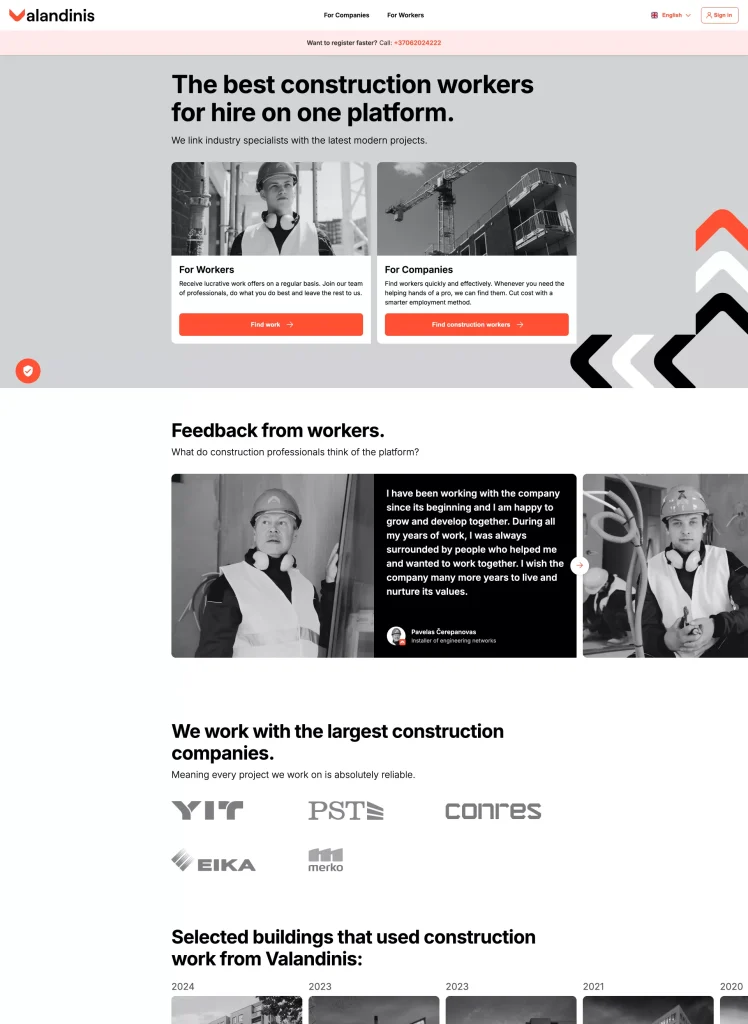
Project costing, crew scheduling, and billing, shaped by our Valandinis workforce SaaS work
Read more about Construction
Procurement, inventory, staffing, and finance in one system, with role-based access to records and an audit trail of changes
Read more about Healthcare
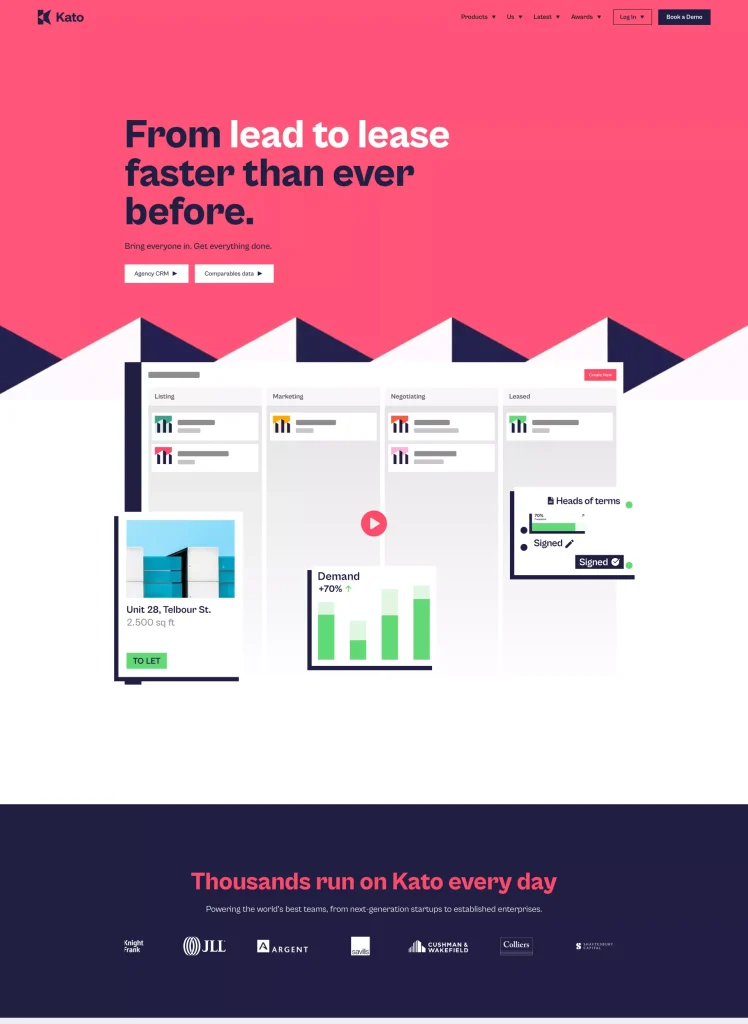
Property data, leases, maintenance, and accounting connected in one system, informed by our work on Kato, a commercial property platform
Read more about Real estate

What Shapes ERP Implementation Cost and Timeline

We don’t quote a fixed price or launch date before scoping, because every rollout depends on your starting point. Cost is driven by the number of modules and user roles, the volume and condition of data in spreadsheets and legacy systems, how many CRM, accounting, and payment tools need API connections, the scope of training, and whether targeted custom extensions are required.

Plan for total cost of ownership, not only the rollout. Platform licenses or subscriptions, hosting, internal time for reviews and testing, and post-launch support all belong in the budget. Hosting changes the mix: a cloud ERP shifts spending to subscriptions, while an on-premises setup adds servers and maintenance. Timeline depends on the same factors and on how quickly your team can review designs and join testing. Process mapping turns these variables into a phased plan, so you see what each module involves before work starts.

Leave Spreadsheets Behind

Plan your ERP rollout
Why SMBs Choose Intobi for ERP Implementation

Speech bubbles with stars icon representing verified client reviews on Clutch
Recognized on Clutch
More than 50 verified client reviews on Clutch describe how our team plans, communicates, and delivers. It’s an independent check you can run before choosing an ERP implementation services provider.
Balance scale icon representing vendor-neutral ERP platform advice
Platform advice without vendor ties
Intobi doesn’t resell ERP licenses, so our recommendations follow your processes. We configure first and write custom code only where configuration can’t cover a workflow, which keeps future platform updates simpler.
Icon of a clock and puzzle piece filling an expertise gap
Built around small and mid-sized businesses
Founder and CEO Andrew Tsopych notes that clients often face a shortage of expertise and time. Intobi’s specialists fill that gap so your staff can keep running the business.
Two connected map pins icon representing a US company with an office in Kyiv
A US company with a strong Ukrainian team
Intobi is a US company with a strong Ukrainian team and an office in Kyiv. Since 2017, we have delivered 100+ projects for clients in the US and beyond, and we have worked with EU clients directly since 2021.

Icon of a direct message reaching a senior business leader
Senior attention from the first message
New inquiries go straight to Intobi’s CBDO, so your first conversation about modules, data sources, and integrations happens with business leadership, not a handoff chain. You get a reply within one business day.

ERP Implementation FAQ

Request a Proposal
How do we choose the right ERP platform and implementation partner?
Start with your processes, not a vendor list. Shortlist platforms that fit your workflows, user roles, and the tools you must keep, then decide between cloud and on-premises hosting. Choose an ERP implementation services provider that handles mapping, migration, integrations, testing, and training as one team. Ask how they support you after launch.
What is ERP implementation and what does it involve?
ERP implementation puts an ERP system into daily use across your company. It covers mapping current processes, configuring modules and roles, moving data out of spreadsheets and older tools, and connecting the systems you keep. It also includes testing real scenarios and training staff, so finance, operations, and IT all work from one shared source of data.
What are the key steps in a successful ERP implementation?
A sound ERP implementation process runs in this order. Agree on goals and scope, map workflows, and decide which modules go live first. Design screens around user roles, then build and configure in sprints. Migrate and reconcile data, then run end-to-end ERP testing. Then launch and train your team. Rushing the mapping step pushes rework into later phases.
How is data migrated from spreadsheets and legacy systems into a new ERP?
ERP data migration starts with an audit. We locate every source, from spreadsheets to legacy databases, then remove duplicates, standardize formats and map fields to the new structure. Test loads run first and are reconciled against the originals. Final cutover happens once the totals match. ERP integration with the tools you keep runs in parallel.
What determines the length of an ERP implementation for a mid-sized company?
Duration is set during scoping. It depends on how many modules and user roles you need, the volume and condition of your data, the number of integrations and any custom extensions. It also depends on how quickly your team can review designs and join testing. A phased rollout lets core modules go live first while the rest follow.